


Citizen Times
2.957.00 Reviews
App Specs
- Version
- 8.10.3
- Updated On
- License
- Free
- Downloads
- 10,000+
- Developer
- USA TODAY Co.
- Categories
- News & Magazines
- Platform
- Android
Screenshots




 Analysis by AppCompare
Citizen Times is a local news app from USA TODAY Co. that I would describe as focused rather than all-purpose. It is built for readers who want nearby reporting alongside national headlines, with photography and video playing a visible role in the experience. I spent time with it as a daily news reader, moving between quick checks and longer browsing sessions, and found that its value depends heavily on how closely its coverage matches your location and interests.
The app is free to download, which makes trying it easy, although it includes optional purchases priced from around fifteen dollars to around seventy dollars per item. It is rated for Everyone 10+, runs on Android versions from 8.0 onward, and its current release is 8.10.3. Those details matter because this is not only a question of whether the journalism interests you; an older phone may handle a media-heavy news feed differently from a recent device.
How Citizen Times feels during everyday reading
I approach Citizen Times as a place to orient myself, not as a complete account of every story or a substitute for comparing sources. In this section, I look at how its local-and-national mix fits a normal reading habit and what I would check before relying on it regularly. That sets up a closer look at the choices a reader can make while using it.
Quick checks are its strongest use case
My favorite way to use Citizen Times is in short sessions. I can open it while having coffee, scan the main headlines, look for a local development, and leave without feeling that I need to reorganize my entire morning around the app. That makes it more useful as a regular local-news habit than as a replacement for every source of information I follow.
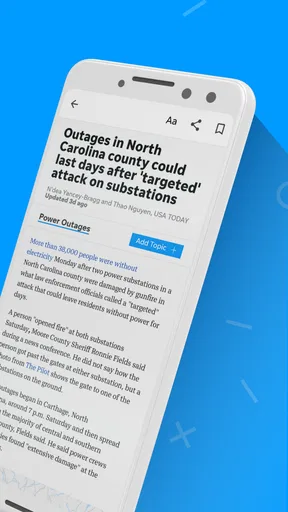
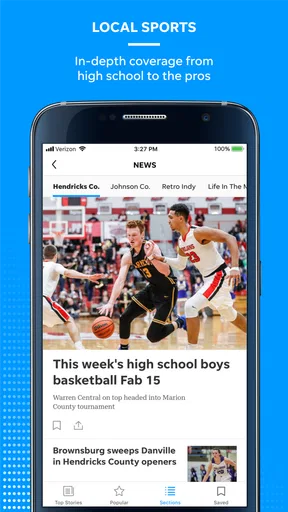
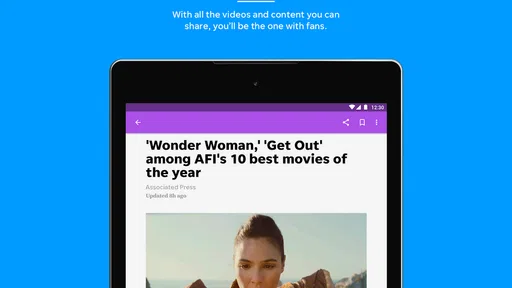
The combination of local and national coverage gives the app a practical rhythm. Local stories help answer what is happening close to home, while broader articles provide context for issues that may affect the community. The photography makes the feed easier to browse, and video gives some stories a more immediate feel. The best reason to keep it installed is the local focus, not simply the existence of another headline feed.
In my experience, perceived speed is influenced by what the app is loading. Text-first browsing feels naturally lighter than opening an article with several images or video elements. I would not judge the whole app by the first moment of a media-rich story. A reader on a strong connection may barely notice the difference, while someone checking news during a commute or on a crowded network may prefer to read the shorter items first.
What happens when the feed gets busy
Heavy use usually means more than opening one article. It can involve scrolling through a large stream, opening several reports, returning to the main feed, and watching video along the way. That pattern puts more pressure on the phone than a simple text reader does, especially when the session includes repeated image loading.
Worth Reading Before You Choose

EA SPORTS FC Mobile 26 Is a Bigger Football Game, but It Takes Time

Flipboard Shows What News Apps Must Do Beyond the Feed

Switching to Android Auto Means Rethinking Your Driving Routine

Google Calendar Makes a Crowded Week Easier to Manage

Ludo King Makes the Most of the Minutes Between Plans

Baby Panda World Brings Quick Play to Modern Phones, but Its Game Library Feels Busy
I recommend a simple workflow for longer sessions: scan headlines first, open only the stories that genuinely interest you, and leave video until you have enough connection and battery for it. This is not a criticism of the content; it is a sensible way to keep a news app comfortable when the feed contains rich media. It also prevents a common frustration where a reader spends more time waiting for visual elements than actually reading.
For people who mainly want alerts or a quick headline check, Citizen Times should feel less demanding because they are not asking it to display a long sequence of photographs and clips. For readers who treat it like a continuous visual feed, the experience can be more resource-intensive than a plain newspaper app or a lightweight text-based news reader. That trade-off is central to deciding whether it fits your routine.
A realistic morning routine
Imagine checking the app before work after a night of local events. I would start with the main feed, read the most relevant local report, and then use the national stories to understand whether the issue connects to something wider. If a photograph tells the story better than a paragraph, I would open it; if a video begins to take too long on a weak connection, I would skip it and return later.
That routine shows where the app earns its place. It can be a compact briefing rather than an endless destination. I would not use it as my only source during a fast-moving event, because a single news app should not be the sole basis for important decisions. Instead, I see it as a convenient first stop, particularly for readers who care about the community represented by its local reporting.
Stability and returning after interruptions
A news app needs to recover gracefully because people rarely use it in perfect conditions. A notification, phone call, train stop, or brief loss of attention can interrupt a reading session at any time. My practical advice is to treat the main feed as the safest starting point after returning, rather than assuming that every interrupted article will reopen exactly where you left it.
This matters most when an article includes video or several large images. If the app has been left in the background while the phone is busy, reopening the feed is generally a cleaner approach than repeatedly forcing an old page to continue loading. That habit also helps separate a temporary connection issue from a genuine app problem.
The rating of around 2.9 from roughly one hundred fifty ratings suggests that the overall experience has not been equally smooth for everyone. I would take that as a reason to test the app on your own phone instead of assuming that the same behavior will appear on every device. The review count is around sixty, so the public response is useful context, but it is not enough by itself to predict how Citizen Times will behave in your particular setup.
How dependable it is for regular news reading
Reliability here has two sides. The first is whether the app opens and lets you browse comfortably; the second is whether it becomes part of a dependable news routine. For the latter, the local angle is important. If the stories match your area, you have a clear reason to return. If they do not, the national material may not be enough to distinguish it from larger news apps.
I also prefer not to confuse a slow article load with an unreliable publication. A weak signal, a large photograph, or a video can make a page feel stalled even when the app itself is functioning. When troubleshooting, I would first switch between a text-heavy story and a visual one, then close and reopen the app only if both behave poorly. This small test tells you more than judging the experience from one unusually demanding article.
For a daily routine, I would keep expectations realistic. Citizen Times is suitable for checking what has changed and choosing a few stories to read. It is less convincing as a single, uninterrupted stream for hours of consumption. That is partly a matter of design preference: some readers want a calm local briefing, while others expect an endlessly refreshed national news service.
Phone age, operating system, and available resources
The minimum operating system is Android 8.0, which gives the app a broad compatibility range. Compatibility, however, does not guarantee identical performance across all phones. A device with limited free storage, modest memory, or an older processor may feel the cost of image and video loading more than a newer model.
I would pay attention to three practical signs during the first few uses: whether the feed redraws smoothly after returning from an article, whether images appear without making scrolling uncomfortable, and whether video causes the phone to become noticeably warm or sluggish. These are more useful personal indicators than assuming that the minimum operating system tells the whole performance story.
On a smaller or older phone, I would use Citizen Times selectively. Read the important text stories, avoid opening every visual item in one sitting, and close the app when you are finished rather than leaving a long media-heavy session suspended. On a newer phone, you can be more relaxed about browsing, but the same approach remains sensible when battery or connectivity is limited.
The app has over ten thousand installs, which places it in the category of a smaller, more locally oriented news product rather than one of the huge general-purpose platforms. That scale can be appealing if you want a focused experience. It also means I would not expect the same broad ecosystem or universal coverage that comes with the biggest news brands.
Where it beats ordinary alternatives
Compared with a general news aggregator, Citizen Times feels more purposeful when local reporting is your priority. Aggregators are excellent for collecting many sources in one place, but their breadth can make nearby stories harder to find among national and international headlines. This app gives the local angle a clearer role.
Compared with reading news in a mobile browser, the dedicated app is more convenient for repeated checks. I do not have to begin each session by finding the publication again, and the feed is organized around the app’s own presentation of local and national material. The browser remains preferable if you are trying to conserve space, avoid another installed app, or move between many publications in one session.
Compared with a text-only news app, Citizen Times offers a richer visual experience through photography and video. That is a genuine advantage for stories where location, people, or events are easier to understand visually. The cost is that visual richness can make the app feel heavier during poor connectivity or long browsing sessions. I would choose the alternative when speed and low resource use matter more than presentation.
Compared with social media as a news source, the app gives me a more controlled starting point. Social feeds can surface breaking information quickly, but they also mix reporting with commentary and unrelated posts. Citizen Times is better for deliberately reading news; social platforms may be faster for discovering what people are discussing. I would use them for different purposes rather than treating one as a complete substitute for the other.
Who should install it
I think Citizen Times is a good match for someone who follows local events and wants national context without opening several separate publications. It also suits readers who appreciate photography and video as part of reporting, provided their phone and connection can handle that style of feed comfortably.
It is less suitable for someone who wants a very lightweight headline tool, a worldwide news dashboard, or a completely text-first reading experience. If your main requirement is the fastest possible scan on an older phone, a simpler alternative may be a better fit. Likewise, if the local coverage is not relevant to where you live, the app loses much of its strongest reason to exist.
The free entry point makes the decision straightforward: install it, try a few normal reading sessions, and see whether the local coverage earns a place in your routine. I would not begin with the optional purchases unless I already knew that the app’s coverage and reading style suited me. The important question is not whether the app has a large amount of content, but whether the content is the kind I will actually return to.
My performance verdict
After using Citizen Times as a local-news reader, I see it as a focused app with a clear strength and a clear trade-off. Its strength is the combination of nearby reporting, national stories, photography, and video. Its trade-off is that the richer presentation can demand more patience and device resources than a plain headline reader, particularly during longer sessions or on older hardware.
Speed expectations should therefore be moderate rather than absolute. Short headline checks are the most comfortable use. Heavy visual browsing is more dependent on the phone and connection. For reliability, I would keep the app updated to version 8.10.3, restart a session from the main feed after an interruption, and avoid judging it from one slow video or image-heavy article.
My recommendation is conditional but positive: install Citizen Times if local coverage is genuinely important to you and you enjoy a visual news experience. Keep a browser or another news source available for broader comparison and fast-moving stories. Skip it if you only want the lightest possible text feed or if national, international, and multi-source coverage matter more than a local publication’s focused approach.
In the end, this is not an app I would recommend to everyone simply because it is free. I would recommend it to the friend who asks, “What is happening around here?” and wants an easy way to follow the answer while still seeing the bigger picture. For that reader, Citizen Times can become a useful daily checkpoint, as long as the visual content and device demands fit the way they read news.
Pros
- Clear local reporting focused on Asheville and Western North Carolina.
- Covers breaking news
- politics
- business
- culture
- and community events.
- Useful for readers who want regional stories beyond national headlines.
- Mobile-friendly access makes articles easy to read on the go.
- Supports staying informed about local issues and public affairs.
Cons
- Coverage may feel too regional for readers outside Western North Carolina.
- Some articles may require a subscription or offer limited free access.
- Breaking-news updates can vary depending on newsroom resources.
- The app may include advertisements that interrupt the reading experience.
- Not every story includes extensive multimedia or interactive features.
FAQs for Citizen Times
What is Citizen Times, and what can I use it for?
Citizen Times is a local news application focused on delivering reporting, updates, and community information from the Citizen Times publication. After installing it, readers can browse recent articles, follow regional stories, and stay informed about topics such as local government, education, business, public safety, culture, and events. It is most useful for people who want convenient access to Asheville and Western North Carolina news from a mobile device.
Is Citizen Times free to download and use?
The Citizen Times app may be free to download, but access to all articles and features can depend on the publication’s subscription policy. Some stories may be available without an account, while other content can require registration, a digital subscription, or an existing newspaper subscription. Before downloading, check the current terms shown in the app or on the official Citizen Times website, since pricing, trial offers, and access limits may change.
Does the app require a subscription to read the news?
A subscription may be required for unlimited access to premium or subscriber-only articles. The application is designed to make reading convenient, but the exact balance between free stories and restricted content can change over time. If you frequently follow local reporting, a digital subscription may provide better access. Users should review the available plans, renewal conditions, and cancellation instructions before starting any paid trial or subscription.
What features are available in Citizen Times?
Citizen Times generally provides a mobile news-reading experience with article browsing, story categories, search or navigation tools, and options for staying updated with local coverage. Depending on the current version, users may also find notifications, saved stories, sharing tools, photo content, or subscriber features. The available tools can vary between Android and iOS and may change after app updates, so some features may not appear on every device.
Is Citizen Times worth downloading for local news?
Citizen Times is worth considering if you live in, work in, or regularly follow Asheville and Western North Carolina. Its main advantage is focused local coverage that can be difficult to find in general national-news apps. However, readers should consider possible subscription limits, advertising, notification preferences, and the amount of content available without payment. It is especially suitable for users who value regional journalism and want news in one dedicated app.


